
If you want to activate Passwordless on your system after the Saml integration steps “https://firataydin.net/2024/09/05/dlp-sso-setup-of-saml-authentication/#more-1054” that I shared before, you must follow the steps below.
1- Go to the “[your installation directory]/Protect/Tomcat/webapps/ProtectManager/WEB-INF/”
2- SpringSecurityContext-SAML.xml for SAML authentication configurations

3- Let’s delete the following record in the Spring SecurityContext.xml file.
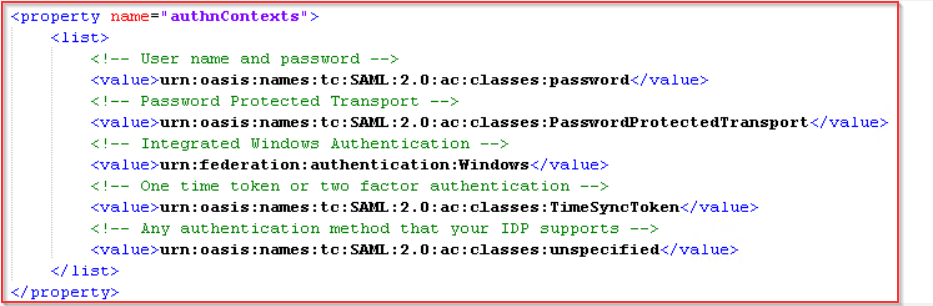
4- Restart the Symantec DLP administrator service.
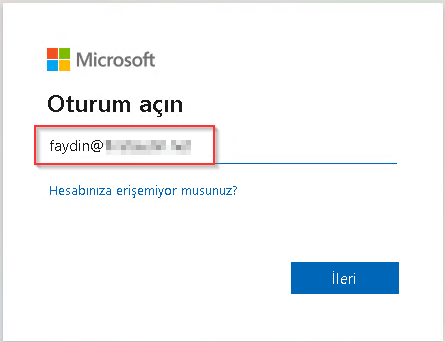
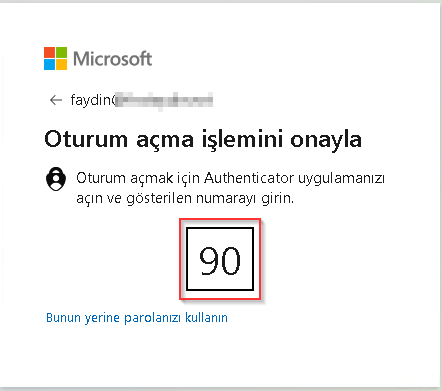
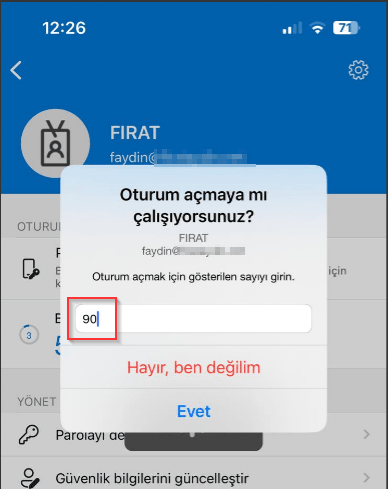
5- Log in to Enforce Console.
 FIRAT AYDIN
Yorum bırakın