With the release of Symantec Data Loss Prevention (DLP) 16.1, single-tier support has been removed. To migrate from a single-tier architecture to a two-tier or three-tier architecture, you can follow the steps below:
1- The following command is used to take a checkpoint for the system for the next installation.
“C:\Program Files\Symantec\DataLossPrevention\EnforceServer\versiyon\Protect\bin\ReinstallationResourcesUtility.exe” export “C:\Program Files\Symantec\DataLossPrevention\EnforceServer\versiyon\Protect” “C:\EnforceReinstallationResources.zip”
2- Before removing Single-tier, take backups of the following files from the folder in the current version.
“\Program Files\Symantec\DataLossPrevention\EnforceServer\versiyon\Protect\config”
“\Program Files\DataLossPrevention\ContentExtractionService\versiyon\Protect\plugins”
“\Program Files\DataLossPrevention\EnforceServer\versiyon\Protect\tomcat\conf”
“\Program Files\DataLossPrevention\EnforceServer\versiyon\Protect\keystore”
“\ProgramData\DataLossPrevention\EnforceServer\versiyon\keystore”
3- Stop all DLP services in order.
4- Check the current version of the existing setup.
5- Uninstall single-tier through the “Add or Remove Programs” feature.
6- After the uninstallation process is completed, install the Enforce package of the same version. During the installation, it will ask for the “EnforceReinstallationResources.zip” file, which we backed up earlier.
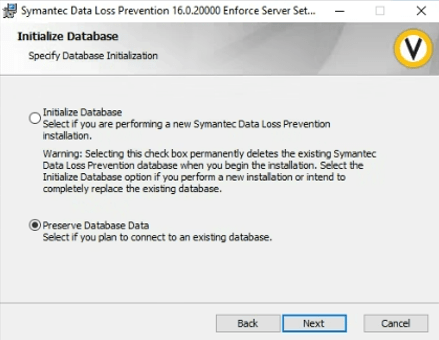
7- After the installation is completed, Stop DLP services and copy the backup files we previously took to their respective locations.
8- While in single-tier mode, install the detection server on the new server we have prepared, and add the new server via the “Add Server” section on the enforce console. You can log in to the new server and make changes after checking the configuration and server settings.

9- Checked the system’s functionality.
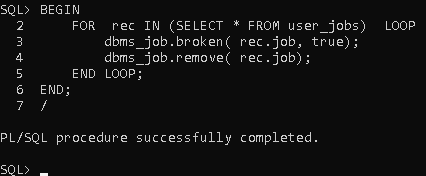
10- If there are any pending jobs in Oracle before running the Readiness tool, stop them.
BEGIN
FOR rec IN (SELECT * FROM user_jobs) LOOP
dbms_job.broken( rec.job, true);
dbms_job.remove( rec.job);
END LOOP;
END;
/
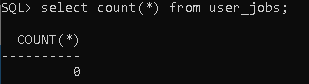
Check the running jobs.
select count(*) from user_jobs;
11- Run the readiness tool before the 16.1 upgrade process begins.
12- Start the 16.1 upgrade process.
13- After the upgrade is completed, the migration process is carried out.
14- Migrate the Detection Server.
15- Start and check the integrity of the system.
 FIRAT AYDIN
Yorum bırakın